Blocks
A mail client for macOS

Take your time back.

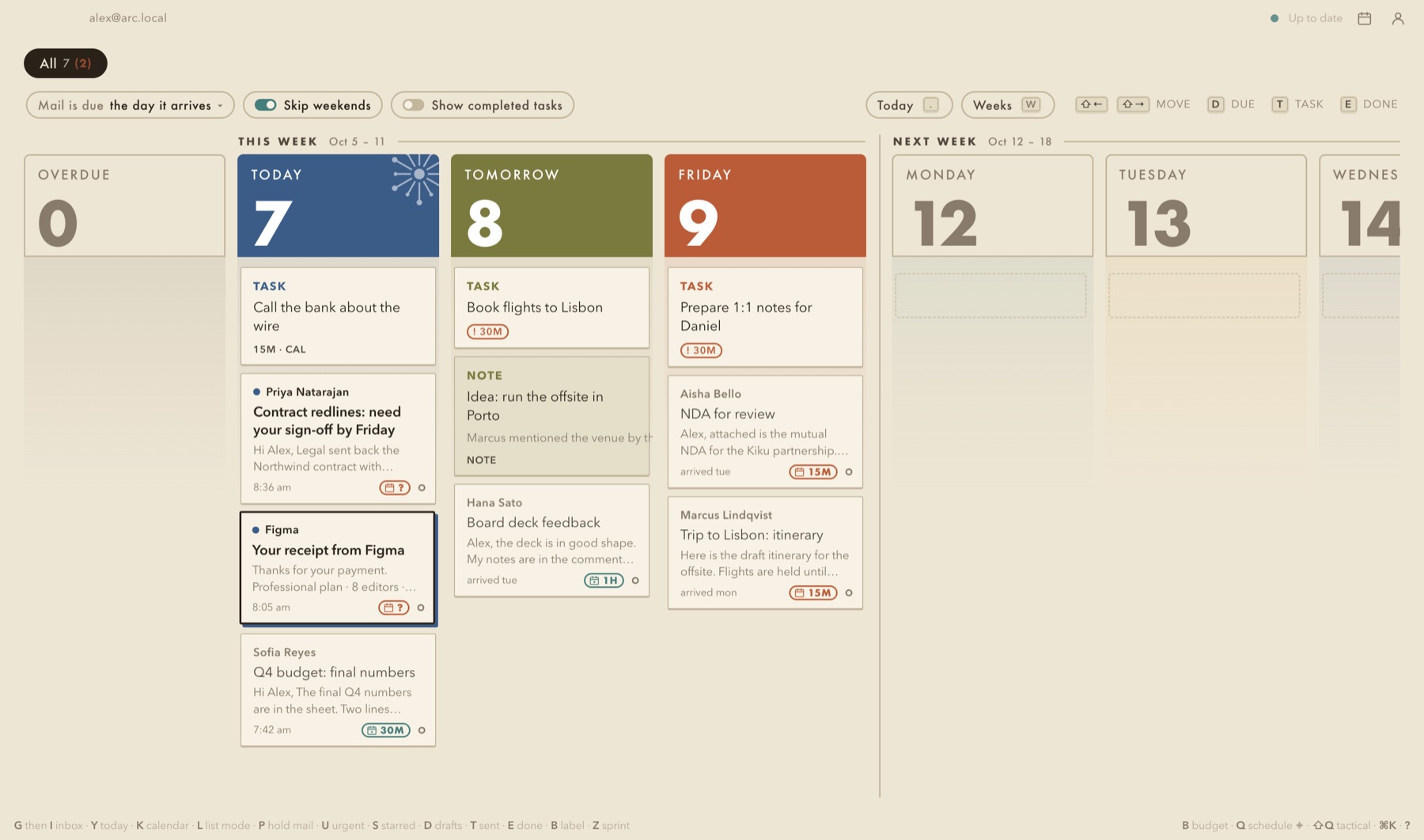
Inbox zero keeps the mail under control. Everything else pays for it. Blocks puts your mail, tasks, notes and follow-ups on one board, so the things that matter most get a time, a place and a priority. All of it stays on your Mac.

Google Workspace and Microsoft 365. Apple silicon. Local only, with a local AI. No server, no account with us.

The Blocks board: Today, Tomorrow and Friday as columns, each holding the mail, tasks and notes that belong to that day
Why

Inbox zero was never the goal.

A clean inbox feels calm and in control. It is also the easiest priority to serve, because it is the one that keeps asking. So the twenty replies that do not matter get written, and the thing that does gets pushed: the real business priority, the reading you meant to do, the research that would move the company, the evening with your family.

1

The inbox wins by default

Mail arrives with a built-in urgency. Everything else, the work that actually moves things, waits in a to-do app, a notebook, a calendar you keep meaning to look at.

Work mailPersonal mailTo-dosFollow-upsNotesCalendar
2

Blocks gives the rest the same seat

Tasks, notes and follow-ups land in the same inbox as your mail, with the same pressure to be looked at and dealt with. Nothing important hides in another app.

3

Everything zero

Not everything done today. Everything with a time, a place and a priority. Today holds what you chose. The days ahead hold what you put there on purpose. The pile becomes a week you can see.

How it works

One inbox. Every item gets a day.

Blocks is a forcing function. Each day you process what is in front of you, mail or not, and each item leaves with a decision: done, a day, or time on the calendar. What matters most gets hours, not hopes.

Mail

Decide. Don't dwell.

Every conversation gets one of three answers: read it, mark it done, or give it a day. "I'll review this on Thursday" is something you type, and it moves out of today's way so the day stays yours.

↵readEdoneHgive it a day
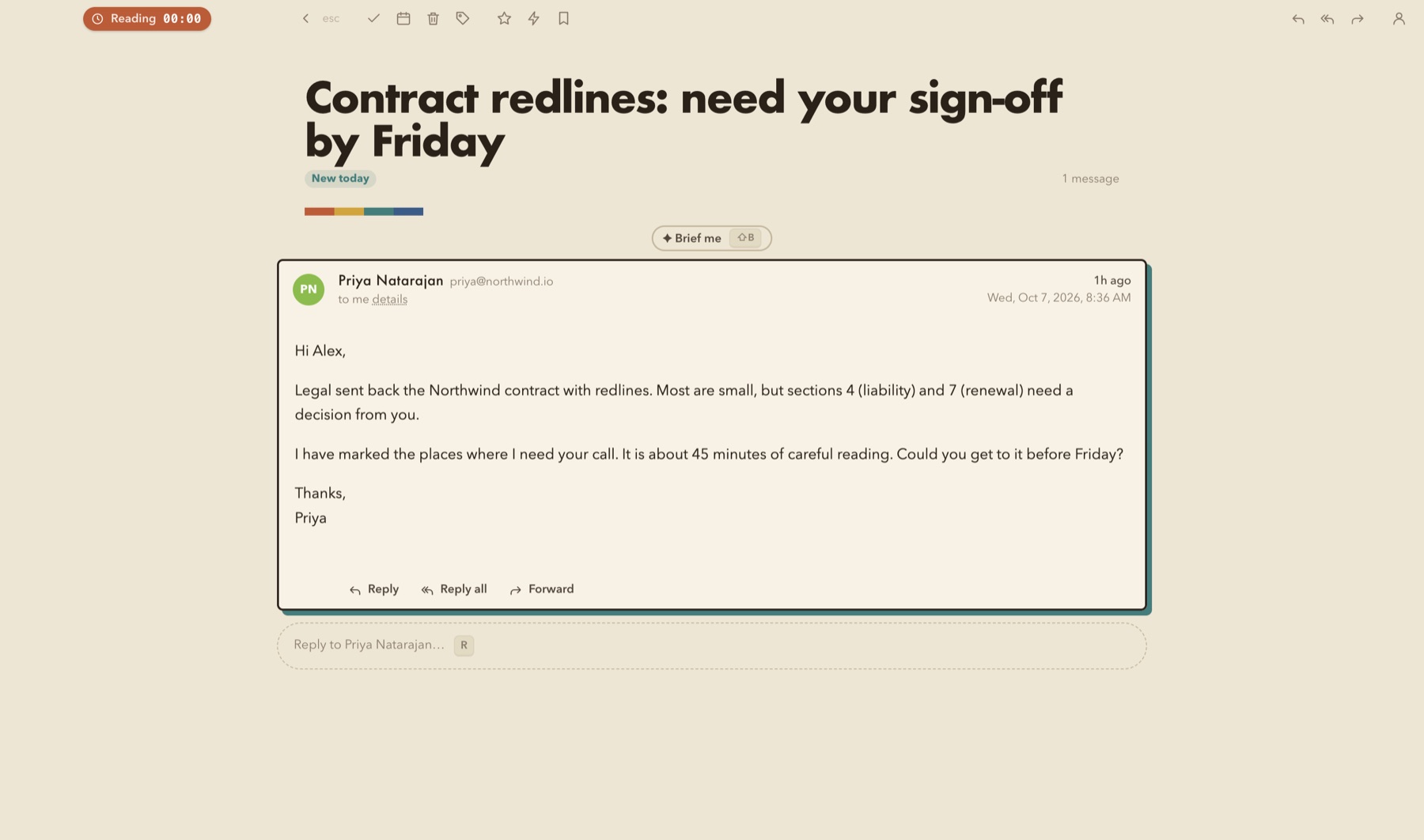
A conversation opened full screen in Blocks
Tasks, notes, follow-ups

Treated like mail. Because they matter at least as much.

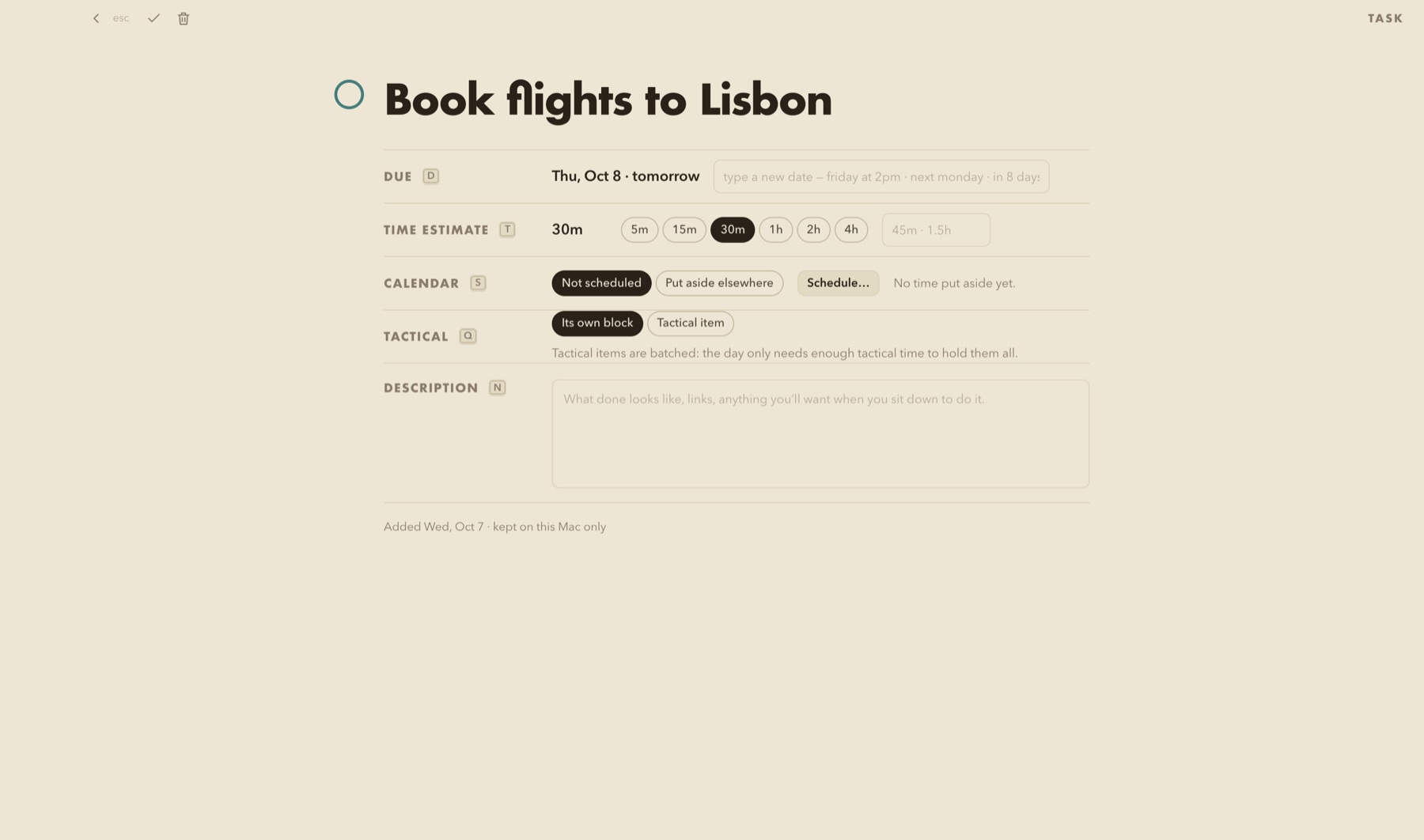
A task sits beside the conversation it came from, on the day it belongs to. A note is a thought filed on the day you will process it, and logged into your Obsidian vault when it is worth keeping. A follow-up comes back on the day you asked for it.

Ttask⇧NnoteLnotes to log
A task page in Blocks with its due day, time estimate and calendar status
Priorities

A day has a size. Priorities get hours.

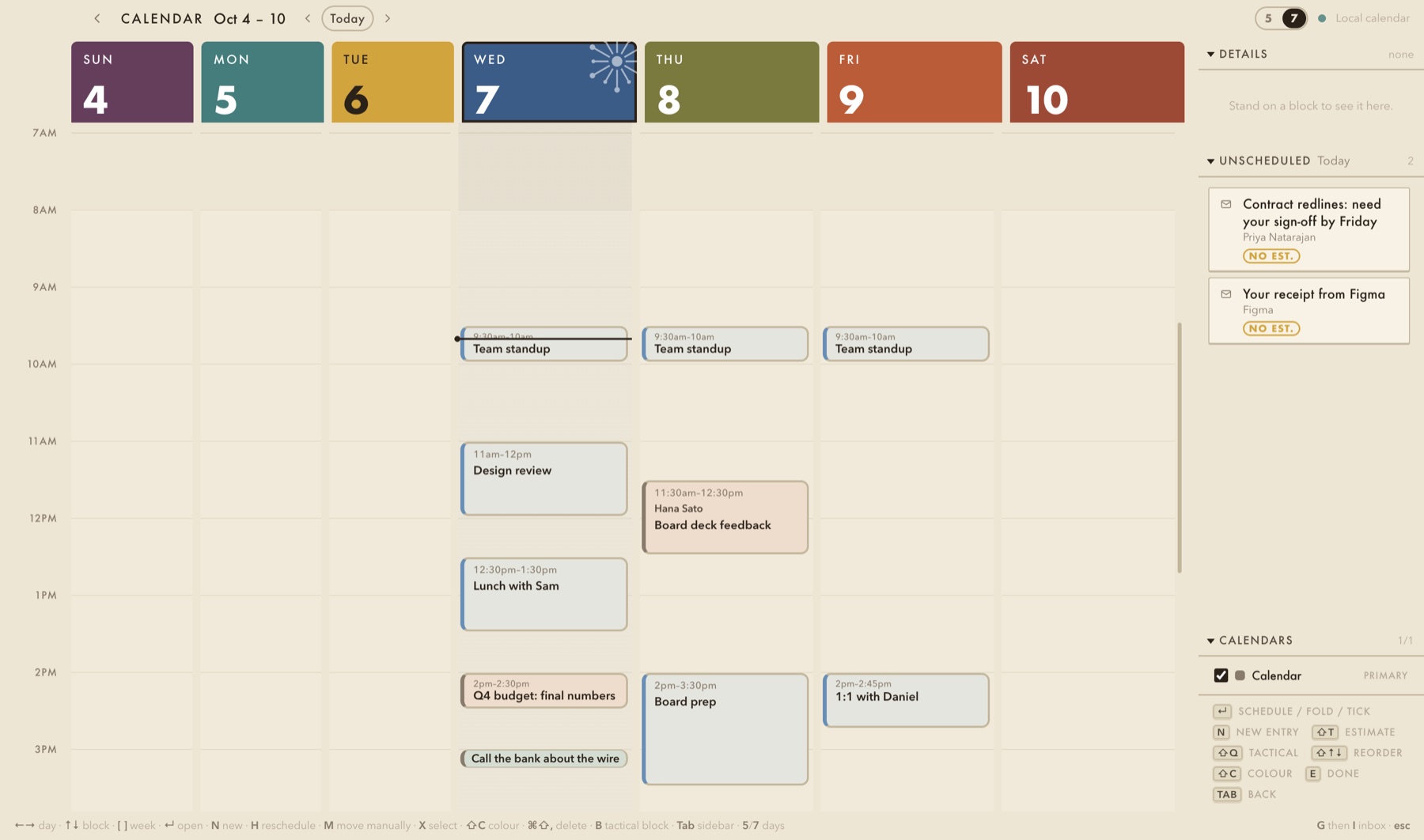
Real work gets an estimate and a slot on your calendar, next to your meetings, so you can see when a day is full before you say yes. Small things are batched into one tactical block instead of eating the morning. Move the block and the board follows.

BestimateQschedule⇧QtacticalGKcalendar
The Blocks calendar week with meetings and blocks made from items on the board
Built to be fast

Efficient, so the time you take back is real.

Everything from the keyboard

Arrow keys to move, one letter per action, G to go anywhere, and ⌘K lists every command with its key. Your hands never leave the keys.

AI that keeps your priorities honest

A small model that runs on your Mac judges mail against filters you write in plain English, briefs you on a long thread, and finds the slot that fits. It helps you see what deserves the time. It can mark and propose; it can never send, delete or archive.

Work and life on one board

Two accounts side by side, each with its own rules. A work account can be told to be strict: images on request, nothing archived without you.

Works offline

Read, reply, archive and plan without a connection. Sends queue and go out exactly once when you are back online. Nothing is lost on quit, sleep or a crash.

Calendar in step

Google Calendar or Microsoft 365, in the app. Schedule an item and it moves to that day on the board; move a block and the board asks whether to follow.

Learn it in an hour

Seven short films shot in the app, each followed by a sandbox to practise in, with a checklist that ticks itself off. All inside Blocks; nothing is fetched.

Local only

The most secure mail client you can run. Nothing leaves your Mac.

No server, no account with us

Blocks talks to Google or Microsoft directly, for the accounts you connect. There is no Blocks server in between, no telemetry, no crash reporting, no analytics.

The AI is local too

The model ships inside the app and runs on your Mac. It never connects to a network. Your mail is never sent anywhere to be read by a machine, let alone a person.

Sign-in in the Keychain, images blocked by default

You sign in on Google's or Microsoft's own page; Blocks never sees your password. Tracking pixels load only when you say so, and never carry cookies or your address.

The full detail is in the Privacy Policy. Blocks' use of information received from Google APIs adheres to the Google API Services User Data Policy, including the Limited Use requirements.

Download

Blocks for Mac

Private beta. Apple silicon, macOS 14 or later. Signed and notarized.

  • Blocks — the full build, with the on-device model (about 2.8 GB).
  • Blocks-lite — the same app without the model (about 270 MB).
  • Connect Google Workspace, Gmail or Microsoft 365. Nothing else to set up.
Download Blocks Download Blocks-lite

Verify a download: shasum -a 256 -c Blocks.dmg.sha256